---
title: "Search-as-You-Type and Autosuggest"
canonical_url: "https://www.laioutr.com/en/blog/search-as-you-type-autosuggest-ux-storefronts-2026"
locale: en
meta:
description: "The quiet conversion lever: search-as-you-type and autosuggest on the storefront."
"og:description": "The quiet conversion lever: search-as-you-type and autosuggest on the storefront."
"og:title": "Search-as-You-Type and Autosuggest"
---
# Search-as-You-Type and Autosuggest on the Storefront: The Quiet Conversion Lever
Table of contents
1. [1.What Search-as-You-Type Actually Means](#what-search-as-you-type-actually-means)
2. [2.Autosuggest: More Than Typing Assistance](#autosuggest-more-than-typing-assistance)
3. [3.The UX Details That Make the Difference](#the-ux-details-that-make-the-difference)
4. [4.The Technical Infrastructure Behind It](#the-technical-infrastructure-behind-it)
5. [5.Search UX in the Context of Conversion Optimization](#search-ux-in-the-context-of-conversion-optimization)
6. 6.A/B Testing Search UX Variants
7. [7.Accessibility in the Search Box](#accessibility-in-the-search-box)
8. [8.Integration in the Composable Storefront Architecture](#integration-in-the-composable-storefront-architecture)
9. [9.The Growth Kit as a Practical Starting Point](#the-growth-kit-as-a-practical-starting-point)
10. [10.Conclusion: Search Is Conversion, Not Navigation](#conclusion-search-is-conversion-not-navigation)
11. [11.Related Links](#related-links)
1. [1.What Search-as-You-Type Actually Means](#what-search-as-you-type-actually-means)
2. [2.Autosuggest: More Than Typing Assistance](#autosuggest-more-than-typing-assistance)
3. [3.The UX Details That Make the Difference](#the-ux-details-that-make-the-difference)
4. [4.The Technical Infrastructure Behind It](#the-technical-infrastructure-behind-it)
5. [5.Search UX in the Context of Conversion Optimization](#search-ux-in-the-context-of-conversion-optimization)
6. 6.A/B Testing Search UX Variants
7. [7.Accessibility in the Search Box](#accessibility-in-the-search-box)
8. [8.Integration in the Composable Storefront Architecture](#integration-in-the-composable-storefront-architecture)
9. [9.The Growth Kit as a Practical Starting Point](#the-growth-kit-as-a-practical-starting-point)
10. [10.Conclusion: Search Is Conversion, Not Navigation](#conclusion-search-is-conversion-not-navigation)
11. [11.Related Links](#related-links)
The search box is the most understated conversion tool on the storefront. No hero banner, no prominent CTA - just a small input field. And that is exactly why it gets systematically underestimated.
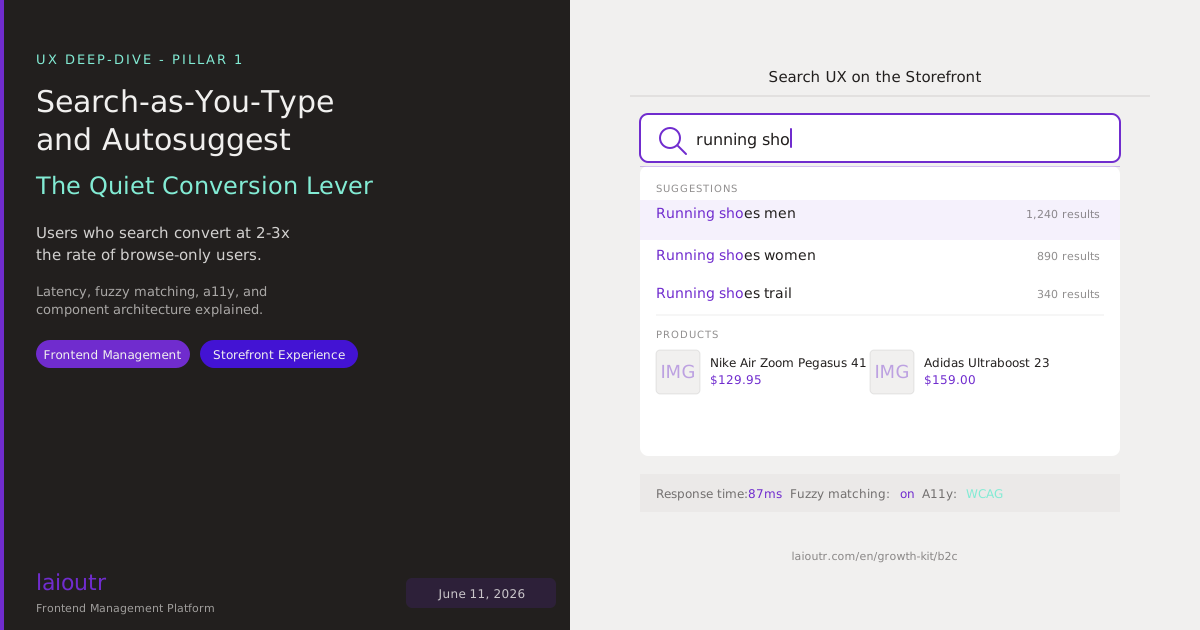
Shopper research consistently shows: users who actively use the search function convert at two to three times the rate of users who navigate through categories alone. Search is not an emergency feature for when navigation fails. Search is the direct path between purchase intent and product.
Search-as-you-type and autosuggest are the techniques that shorten this direct path. This post breaks down how these UX patterns work, what the technical prerequisites are, and which implementation decisions make the difference between "nice to have" and "conversion-relevant."
## What Search-as-You-Type Actually Means
"Search-as-you-type" means: with every keystroke, the search result changes. Not only after pressing Enter, but in real time - or close to it. For the user the experience is: I type "runn" and immediately see running shoes, running tights, running watches, before I have finished typing "running shoes."
Technically this means every keystroke triggers a search request that returns a result in typically less than 100 milliseconds. That requires:
- A search backend optimized for low latency (traditional database search rarely meets this bar)
- Debouncing on the frontend: not every single keystroke triggers a request, but rather after a short pause (typically 150-300ms after the last keystroke)
- Cancellation of pending requests: if the user keeps typing before the previous result returns, the old result is discarded
## Autosuggest: More Than Typing Assistance
Autosuggest - also called autocomplete or type-ahead - is related but distinct: instead of showing search results, the system shows search suggestions the user can select rather than typing further.
A well-implemented autosuggest dropdown typically contains:
**Search term suggestions.** "running sho" completes to "running shoes men", "running shoes women", "running shoes trail". Sorted by popularity or conversion relevance within your store's own data.
**Direct product suggestions.** The dropdown shows individual products with image, name, and price. The user finds the right product without loading the search results page.
**Category links.** "running shoes" leads directly to the Running Shoes category, with all the filters and category hierarchy the user expects.
**Popular searches or trending items.** When nothing has been typed, the dropdown can show currently trending products or most-searched terms - a subtle merchandising lever.
The difference between these variants is not only visual - it has a direct effect on conversion and average order value. Product suggestions in the dropdown reduce the time to purchase decision. Category links encourage use of native navigation. The right mix depends on your product range and the usage habits of your specific audience.
## The UX Details That Make the Difference
Search-as-you-type and autosuggest can be implemented well or poorly. The basic functionality looks similar to users. The conversion effect does not.
**Latency is everything.** An autosuggest dropdown that takes 400ms to appear feels unresponsive. Users type at their own rhythms: fast typists have almost finished the word before the dropdown appears. Slow typists get frustrated. Target: under 200ms response time for autosuggest, under 100ms for search-as-you-type results.
**Keyboard navigation.** Users navigating via keyboard must be able to move through suggestions (arrow keys), select (Enter), and exit (Escape). A purely mouse-based autosuggest UI loses a significant portion of the desktop audience.
**Highlighting of match terms.** When "runn" is typed and "**Runn**ing Shoes Men" appears in bold, the user immediately understands why this suggestion is showing. Without highlighting, the dropdown feels arbitrary.
**Error tolerance and fuzzy matching.** "runnig shoes" instead of "running shoes" - typos are the norm, not the exception. A search that shows "No results" on minor typos throws away purchase intent that is actually present. Fuzzy matching is not a luxury, it is baseline.
**Empty states.** When the typed term has no matches, the dropdown must communicate this meaningfully - with alternative suggestions, a redirect to browse, or popular searches. "No results" as a final state is a conversion dead end.
## The Technical Infrastructure Behind It
Running search-as-you-type in real time requires a search infrastructure built differently from classical database search.
**Dedicated search engines.** Algolia, Klevu, Meilisearch, Typesense, and comparable solutions are optimized for exactly this use case: low latency, typo tolerance, faceted filtering, personalization layer. They index the product catalog and return search results in milliseconds.
**Index synchronization.** The search index must stay synchronized with the commerce backend: when a product is discontinued, it must stop appearing in search results. When a price changes, that must be visible in the result snippet. Index update speed is a critical quality dimension - and a frequent weak point.
**Frontend component architecture.** The search box on the storefront is not a simple input field. It is a standalone UI component with its own state management (open/closed dropdown, active item, loading indicator), its own event handling (keyboard, mouse, touch), and its own rendering logic for dropdown content. When implemented well, it is replaceable: if the search provider changes, the data layer changes, not the UI component.
This is the composable principle that a [Frontend Management Platform](https://www.laioutr.com/en/agentic-frontend-management-platform) puts into practice: the Search UI component is independent of the search backend. Switching from Algolia to Klevu requires a connector change, not a UI rewrite.
## Search UX in the Context of Conversion Optimization
Search-as-you-type is not isolated from the rest of the storefront UX. It is part of a conversion chain running from first keyword intent to checkout completion.
**Cascade 1: Direct entry via search.** Users with concrete purchase intent land on the page and use search first. Every millisecond of latency and every empty state in this phase is conversion loss.
**Cascade 2: Navigation to search as fallback.** Users who do not reach their goal through category navigation switch to search. Here lies a second conversion moment: when search performs here, it saves the session. When it does not, the store loses the session.
**Cascade 3: In-session search while browsing.** Users already viewing products use search to refine ("I want this but in blue"). Autosuggest quality decides here whether the user finds the right thing quickly or loses the session.
For optimization this means: search metrics must be measured at session level, not just at hit level. What share of search sessions convert? How many searches end in "no results"? How many end in a click on a product suggestion vs. typing on to the search results page?
## A/B Testing Search UX Variants
Search-as-you-type is not a one-time implementation decision, it is an optimization target. What converts better: three product suggestions in the dropdown or five? Image plus price in the dropdown or name plus price only? Trending searches on empty input or no dropdown?
The answer is store-dependent. A fashion store with a high visual decision component has different optimization parameters than a B2B spare-parts retailer.
With an [A/B Testing](https://www.laioutr.com/en/product/ab-testing) layer on the frontend management platform, search UX variants can be tested directly without an engineering sprint: Search Box Variant A vs. B, dropdown depth, highlighting style. Conversion data flows back automatically.
## Accessibility in the Search Box
Search-as-you-type and autosuggest are technically challenging from a WCAG perspective: dynamically updated content must be announced to screen readers, keyboard navigation must be complete, focus management must be correctly implemented.
The most common a11y errors in autosuggest:
- The dropdown is not announced via an ARIA live region
- Arrow key navigation is missing or jumps incorrectly
- Focus does not return to the search box after selection
- Touch users have no workflow equivalent to keyboard users
With [WCAG-ready base components](https://www.laioutr.com/en/product/wcag-ready) from the UI library, these patterns are built in - no retroactive a11y sprint needed.
## Integration in the Composable Storefront Architecture
In the context of a composable storefront based on a [Frontend Management Platform](https://www.laioutr.com/en/agentic-frontend-management-platform), search-as-you-type is a UI component with a defined data interface:
```
SearchBox component
Input: search-provider-config (endpoint, apiKey, indexName)
suggestions-config (maxSuggestions, showImages, showPrices)
styling-tokens (borderRadius, dropdownBackground, fontSize)
Output: user-query-event (on Enter / suggestion selection)
dropdown-state (open/closed, loading, empty, results)
```
The search provider configuration is separate from the UI component. This means: when you switch from Algolia to Klevu, you swap the provider config, not the component. When you change the dropdown layout, you work in the UI component without touching the search logic.
This is the composable advantage for search UX: separated responsibilities, clean replaceability, marketing configurability without engineering dependency.
For the search integration, the [Laioutr App Store](https://www.laioutr.com/en/apps) offers built-in connectors for Algolia, Klevu, Bloomreach Search, and others - click-to-connect without an engineering setup sprint.
## The Growth Kit as a Practical Starting Point
For teams integrating search-as-you-type and autosuggest into a new storefront, the [B2C Growth Kit](https://www.laioutr.com/en/growth-kit/b2c) provides production-ready components that cover all the UX requirements described here: debouncing, keyboard navigation, match highlighting, fuzzy-matching support, and WCAG-compliant ARIA implementation.
The Growth Kit is not a design mockup - it is a live-preview-capable component collection, ready to use in a Laioutr-based storefront and customizable via design tokens for brand colors and typography.
## Conclusion: Search Is Conversion, Not Navigation
Search-as-you-type and autosuggest are not feature flags at the edge of the roadmap. They are the primary conversion path for users with concrete purchase intent. Implementation quality - latency, fuzzy matching, keyboard navigation, a11y - determines conversion rates on one of the most-used UI components on the storefront.
The composable approach cleanly separates concerns: search engine choice is a backend decision, search UX quality is a frontend decision. Both are independently optimizable without touching the other.
## Related Links
- [Frontend Management Platform](https://www.laioutr.com/en/agentic-frontend-management-platform) - FMP as the architecture layer for replaceable search components
- [WCAG Ready Components](https://www.laioutr.com/en/product/wcag-ready) - A11y-compliant search box and autosuggest out of the box
- [A/B Testing](https://www.laioutr.com/en/product/ab-testing) - Test search UX variants directly
- [B2C Growth Kit](https://www.laioutr.com/en/growth-kit/b2c) - Production-ready search UX components for B2C storefronts
- [App Store - Search integrations](https://www.laioutr.com/en/apps) - Algolia, Klevu, Bloomreach, and more search connectors
More on Laioutr: [Visual Page Builder](https://www.laioutr.com/en/composable-visual-page-builder).
Related reading: [Faceted Search UX in Composable Storefronts: from Filter to Conversion](https://www.laioutr.com/en/blog/faceted-search-ux-composable-storefronts-conversion) and [Where Shoppers Actually Start in 2026 - AI Search vs. Category Browse vs. Faceted Filter](https://www.laioutr.com/en/blog/ai-search-vs-category-browse-shopper-entry-points-2026).
---
Share this article
[Share on Facebook](https://www.facebook.com/sharer/sharer.php?u=https%3A%2F%2Fwww.laioutr.com%2Fen%2Fblog%2Fsearch-as-you-type-autosuggest-ux-storefronts-2026) [Share on X](https://x.com/intent/post?url=https%3A%2F%2Fwww.laioutr.com%2Fen%2Fblog%2Fsearch-as-you-type-autosuggest-ux-storefronts-2026&text=) [Share on LinkedIn](https://www.linkedin.com/sharing/share-offsite/?url=https%3A%2F%2Fwww.laioutr.com%2Fen%2Fblog%2Fsearch-as-you-type-autosuggest-ux-storefronts-2026) [Share on Pinterest](https://pinterest.com/pin/create/button/?url=https%3A%2F%2Fwww.laioutr.com%2Fen%2Fblog%2Fsearch-as-you-type-autosuggest-ux-storefronts-2026&description=) [Share via email](mailto:?subject=&body=%0A%0Ahttps%3A%2F%2Fwww.laioutr.com%2Fen%2Fblog%2Fsearch-as-you-type-autosuggest-ux-storefronts-2026)
## More interesting articles
Practical know-how for frontend development, smart agents, and headless
[To the blog](https://www.laioutr.com/en/blogs)
[iPhone Duo and Ecommerce: What Merchants Need to Know Now
iPhone Duo goes on sale on October 23, 2026. Online stores don't need a dedicated app or a custo…](https://www.laioutr.com/en/blog/iphone-duo-ecommerce-foldable-storefront)
[Structured Product Data: How It Shows Up in Your Storefront
Structured product data means every product fact lives in a typed attribute with a unit, a stable id…](https://www.laioutr.com/en/blog/structured-product-data-pim-frontend-2026)
[44% Decide via Trial or PoC: How to Run a Storefront PoC in DACH
In DACH, software decisions are increasingly made hands-on: in the study "Software Buying in DA…](https://www.laioutr.com/en/blog/storefront-proof-of-concept-dach-buyers-2026)
[Frontend Management Platform Comparison: How to Choose the Right FMP
Choosing a frontend management platform (FMP) is less about feature lists and more about where your …](https://www.laioutr.com/en/blog/frontend-management-platform-comparison-how-to-choose-2026)
[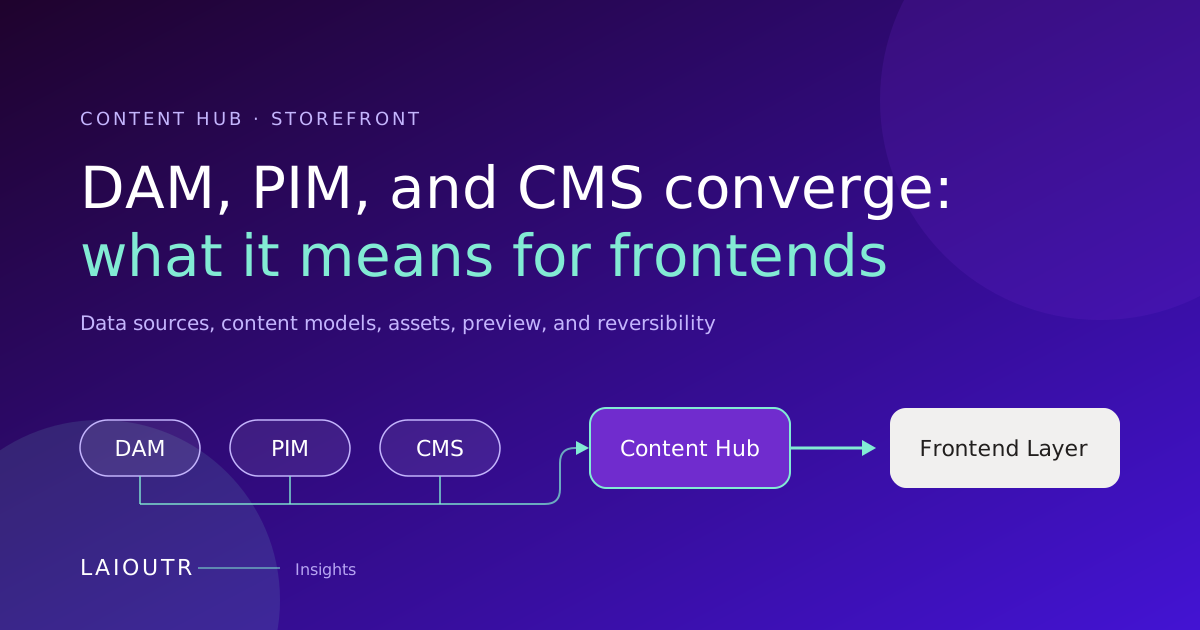DAM, PIM, and CMS Are Converging: What It Means for Your Storefront
DAM, PIM, and CMS vendors are moving into each other's territory, and more teams now evaluate on…](https://www.laioutr.com/en/blog/dam-pim-cms-convergence-content-hub-storefront-2026)
[Contentful Live Preview: What Your Frontend Has to Deliver
Contentful Live Preview lets editors see a draft right next to the entry editor and watch changes ap…](https://www.laioutr.com/en/blog/contentful-live-preview-frontend-perspective-2026)
[Content Governance at Scale: Product Content and Brand Assets
Content governance at scale means that roles, approvals, brand rules, asset rights and translations …](https://www.laioutr.com/en/blog/content-governance-product-content-brand-assets-frontend-2026)
[AI Agents as Frontend Operators: Architecture and Control Model
An AI agent becomes a frontend operator when it watches the running storefront, spots concrete issue…](https://www.laioutr.com/en/blog/ai-agents-as-frontend-operators-2026)
[Shopping Agents Read Your Feed: What Agentic Commerce Changes
Agentic commerce adds a new reader to your product data: shopping agents in ChatGPT, Google AI Mode,…](https://www.laioutr.com/en/blog/shopping-agents-product-feeds-agentic-data-distribution-2026)
[Server-Side Tracking in E-Commerce: Making Measurement Complete Again
Server-side tracking moves the forwarding of analytics and conversion events from the visitor's …](https://www.laioutr.com/en/blog/server-side-tracking-ecommerce-complete-measurement-2026)
[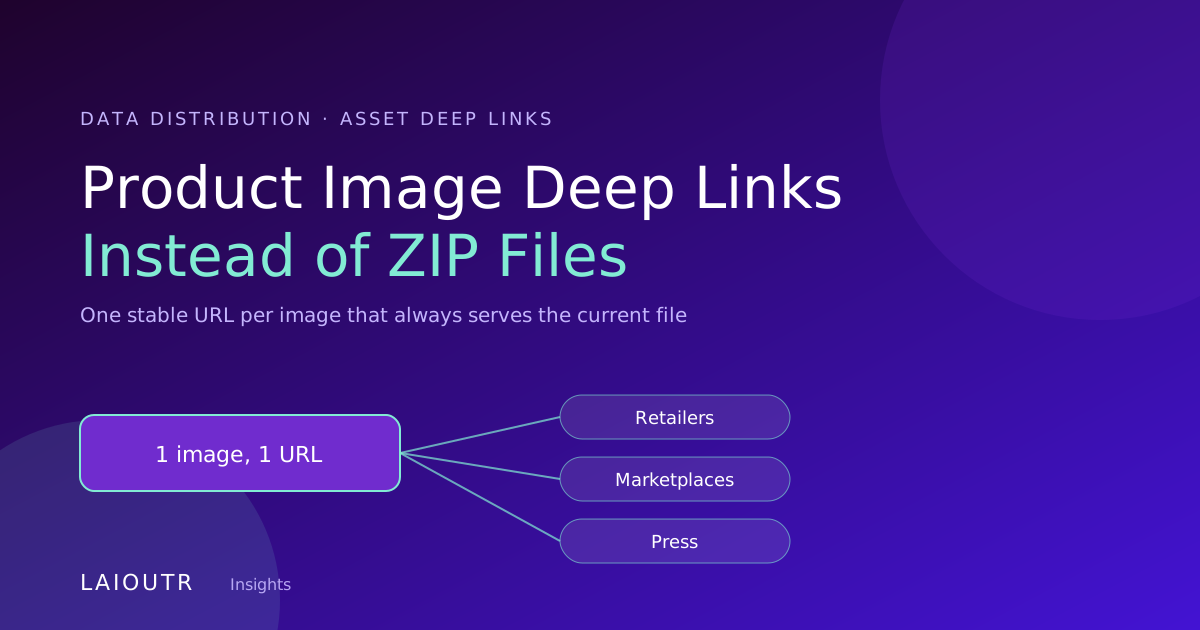Product Image Deep Links, Not ZIP Files: Assets That Stay Current
If you still send product images to retailers, marketplaces and press as ZIP files, every package st…](https://www.laioutr.com/en/blog/product-image-deeplinks-asset-distribution-2026)
[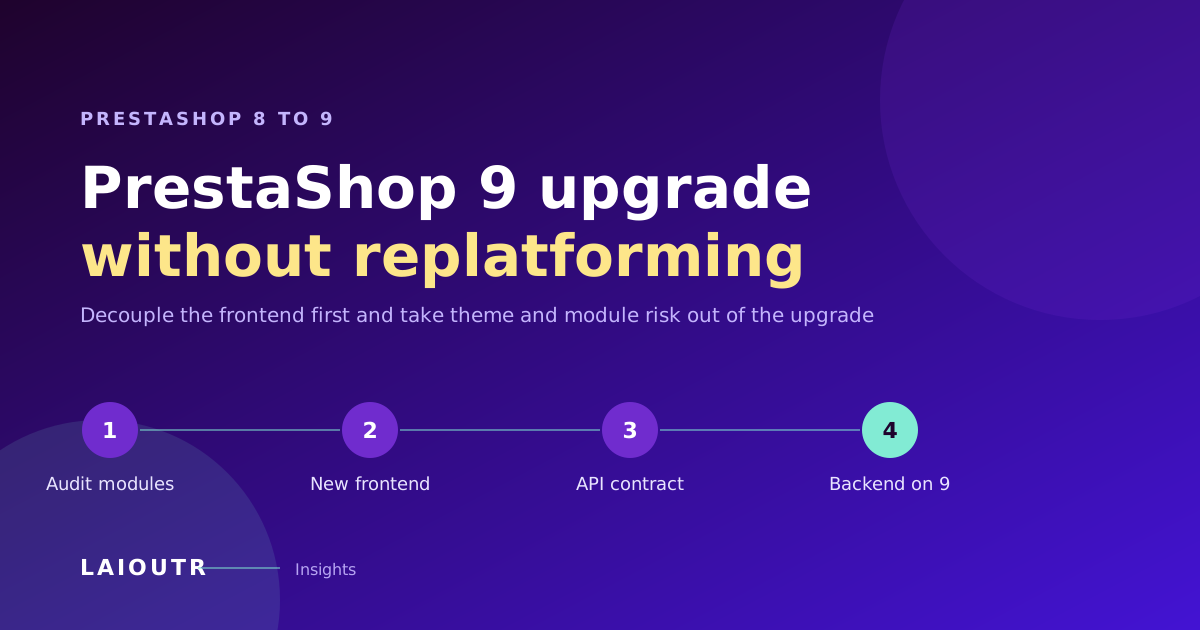PrestaShop 8 to 9 Upgrade Without Replatforming: Decouple the Frontend
You can take most of the risk out of the PrestaShop 8 to 9 upgrade by moving the storefront off the …](https://www.laioutr.com/en/blog/prestashop-8-to-9-upgrade-without-replatforming-2026)
[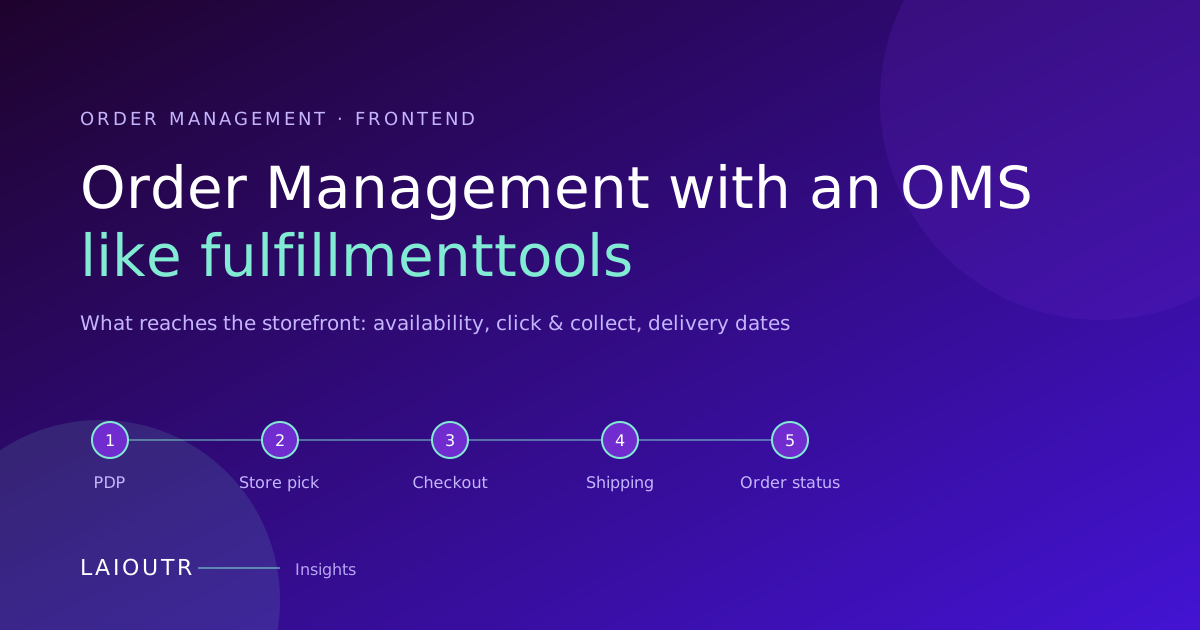Order Management With an OMS Like fulfillmenttools: The Frontend View
An efficient order management system decides which location fulfills an order, how much stock is rea…](https://www.laioutr.com/en/blog/order-management-fulfillmenttools-oms-frontend-2026)
[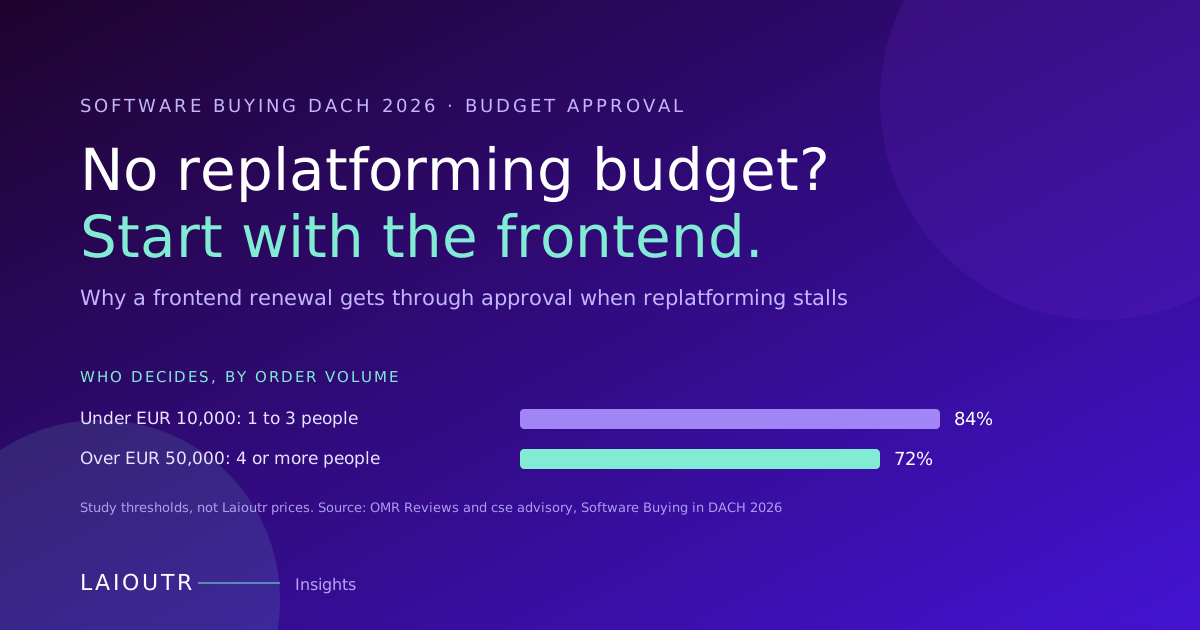No Replatforming Budget in 2026? Why the Frontend Gets Approved
If your 2026 budget has no room for a replatforming project, you are not alone, and you do not have …](https://www.laioutr.com/en/blog/no-replatforming-budget-frontend-project-approval-2026)
[Garden Retail Order Management: What Your Storefront Must Show
In garden and DIY retail, one cart can hold a parcel item, a patio set that ships by freight, live p…](https://www.laioutr.com/en/blog/garden-retail-order-management-seasonal-frontend-2026)
[](https://www.laioutr.com/en/apps/shopify)
Laioutr
[Shopify](https://www.laioutr.com/en/apps/shopify)
Shopify is a commerce platform for selling online and in physical retail.
[](https://www.laioutr.com/en/apps/shopware)
Laioutr
[Shopware](https://www.laioutr.com/en/apps/shopware)
Shopware is a flexible ecommerce platform from Europe for product catalogs and omnichannel commerce.
[](https://www.laioutr.com/en/apps/adobe-commerce)
Laioutr
[Adobe Commerce](https://www.laioutr.com/en/apps/adobe-commerce)
Adobe Commerce is an enterprise commerce platform for complex, global B2C and B2B scenarios.
Planned
[](https://www.laioutr.com/en/apps/b2b-sellers)
Laioutr
[B2Bsellers](https://www.laioutr.com/en/apps/b2b-sellers)
B2B suite for Shopware that turns an online store into a professional B2B commerce platform.
Planned
[](https://www.laioutr.com/en/apps/commerce-layer)
Laioutr
[Commerce Layer](https://www.laioutr.com/en/apps/commerce-layer)
Commerce Layer is a headless commerce platform for making inventory and catalogs available online.
[](https://www.laioutr.com/en/apps/commercetools)
Laioutr
[Commercetools](https://www.laioutr.com/en/apps/commercetools)
Commercetools is a SaaS-based headless ecommerce platform used worldwide.
[](https://www.laioutr.com/en/apps/emporix)
Laioutr
[Emporix](https://www.laioutr.com/en/apps/emporix)
Emporix is a composable, API-first commerce platform for scalable B2B and B2C scenarios.
Planned
[](https://www.laioutr.com/en/apps/hcl-software)
Laioutr
[HCL Software](https://www.laioutr.com/en/apps/hcl-software)
Enterprise suite for digital commerce and experience with extensive configurability.
Planned
[](https://www.laioutr.com/en/apps/intershop)
Laioutr
[Intershop](https://www.laioutr.com/en/apps/intershop)
Enterprise commerce platform for complex B2B and B2C business models.
Planned
[](https://www.laioutr.com/en/apps/magento-2)
Laioutr
[Magento 2](https://www.laioutr.com/en/apps/magento-2)
Widely used, extensible commerce platform for B2C and B2B scenarios.
[](https://www.laioutr.com/en/apps/oxid-eshop)
Laioutr
[OXID eShop](https://www.laioutr.com/en/apps/oxid-eshop)
OXID eShop is an extensible commerce platform for complex B2B and B2C requirements.
Planned
[](https://www.laioutr.com/en/apps/patchworks)
Laioutr
[Patchworks](https://www.laioutr.com/en/apps/patchworks)
Patchworks is a low-code iPaaS that connects ecommerce, ERP, WMS, 3PL, and marketplaces.
Planned
[](https://www.laioutr.com/en/apps/PrestaShop)
Laioutr
[Prestashop](https://www.laioutr.com/en/apps/PrestaShop)
Open-source commerce platform for small and midsize merchants in Europe and beyond.
Planned
[](https://www.laioutr.com/en/apps/saleor)
Laioutr
[Saleor](https://www.laioutr.com/en/apps/saleor)
Open-source, API-first commerce platform built on GraphQL for custom storefronts.
Planned
[](https://www.laioutr.com/en/apps/salesforce-commerce-cloud)
Laioutr
[Salesforce Commerce Cloud](https://www.laioutr.com/en/apps/salesforce-commerce-cloud)
Salesforce Commerce Cloud is a cloud-based enterprise commerce platform for businesses of any size.
Planned
[](https://www.laioutr.com/en/apps/sap-commerce-cloud)
Laioutr
[SAP Commerce Cloud](https://www.laioutr.com/en/apps/sap-commerce-cloud)
Enterprise commerce platform for complex catalogs, pricing models, and omnichannel journeys.
Planned
[](https://www.laioutr.com/en/apps/scayle)
Laioutr
[Scayle](https://www.laioutr.com/en/apps/scayle)
SCAYLE is a commerce engine that helps brands and retailers scale their business.
Planned
[](https://www.laioutr.com/en/apps/spryker)
Laioutr
[Spryker](https://www.laioutr.com/en/apps/spryker)
Composable commerce platform for sophisticated B2B and B2C business models.
[](https://www.laioutr.com/en/apps/sylius)
Laioutr
[Sylius](https://www.laioutr.com/en/apps/sylius)
Sylius is a developer-friendly ecommerce framework for B2C and B2B shopping experiences.
Planned
[](https://www.laioutr.com/en/apps/vendure)
Laioutr
[Vendure](https://www.laioutr.com/en/apps/vendure)
Vendure is a headless commerce platform for businesses with complex requirements.
Coming Soon
[](https://www.laioutr.com/en/apps/vtex)
Laioutr
[VTEX](https://www.laioutr.com/en/apps/vtex)
Cloud-native, composable commerce platform for B2B and B2C at scale.
Planned
[](https://www.laioutr.com/en/apps/websale)
Laioutr
[Websale](https://www.laioutr.com/en/apps/websale)
Stable, enterprise-ready commerce backend for complex retail environments.

Strategy call
## Ready to turn your frontend into a control layer?
Show us your stack, your roadmap, your replatforming scenario, and we'll show you how Laioutr fits, what it costs, and how fast you go live.
*"After 30 minutes, we knew Laioutr makes our replatforming feasible." - Daniel B., CEO,* [*hygibox.de*](https://hygibox.de)
[Book a demo](https://www.laioutr.com/en/contact)
## Structured Data
```json
{
"@context": "https://schema.org",
"@graph": [
{
"@type": "Organization",
"@id": "https://www.laioutr.com/#identity",
"name": "Laioutr",
"legalName": "Laioutr GmbH",
"url": "https://www.laioutr.com/",
"logo": {
"@type": "ImageObject",
"url": "https://www.laioutr.com/laioutr-logo.png",
"width": 400,
"height": 400
},
"email": "info@laioutr.com",
"telephone": "+49 30 75435715",
"address": {
"@type": "PostalAddress",
"streetAddress": "Münchweilersteig 5",
"postalCode": "12559",
"addressLocality": "Berlin",
"addressCountry": "DE"
},
"vatID": "DE450905846",
"sameAs": [
"https://www.linkedin.com/company/laioutr",
"https://www.youtube.com/@Laioutr",
"https://x.com/laioutr"
]
},
{
"@type": "WebSite",
"@id": "https://www.laioutr.com/en/#website",
"url": "https://www.laioutr.com/en/",
"name": "Laioutr",
"inLanguage": "en",
"publisher": {
"@id": "https://www.laioutr.com/#identity"
}
},
{
"@type": "BlogPosting",
"@id": "https://www.laioutr.com/en/blog/search-as-you-type-autosuggest-ux-storefronts-2026#article",
"headline": "Search-as-You-Type and Autosuggest on the Storefront: The Quiet Conversion Lever",
"description": "The quiet conversion lever: search-as-you-type and autosuggest on the storefront.",
"image": [
"https://eu-west-2.graphassets.com/cmii2mlqi0dux06l5543v7nkc/cmqarrfr4zykd06mhvkh528ba"
],
"datePublished": "2026-09-07T06:43:44.349434+00:00",
"dateModified": "2026-09-07T06:43:44.005092+00:00",
"inLanguage": "en",
"articleSection": "Insights",
"keywords": "Frontend Management, Storefront Experience",
"author": {
"@type": "Person",
"name": "Marcel Thiesies",
"jobTitle": "Co-Founder & CEO, Laioutr",
"image": "https://eu-west-2.graphassets.com/cmii2mlqi0dux06l5543v7nkc/cmj01b962364n07lb0iguvts5"
},
"publisher": {
"@id": "https://www.laioutr.com/#identity"
},
"mainEntityOfPage": {
"@id": "https://www.laioutr.com/en/blog/search-as-you-type-autosuggest-ux-storefronts-2026#webpage"
},
"isPartOf": {
"@id": "https://www.laioutr.com/en/#website"
}
},
{
"@type": "WebPage",
"@id": "https://www.laioutr.com/en/blog/search-as-you-type-autosuggest-ux-storefronts-2026#webpage",
"url": "https://www.laioutr.com/en/blog/search-as-you-type-autosuggest-ux-storefronts-2026",
"name": "Search-as-You-Type and Autosuggest on the Storefront: The Quiet Conversion Lever",
"description": "The quiet conversion lever: search-as-you-type and autosuggest on the storefront.",
"inLanguage": "en",
"isPartOf": {
"@id": "https://www.laioutr.com/en/#website"
},
"breadcrumb": {
"@id": "https://www.laioutr.com/en/blog/search-as-you-type-autosuggest-ux-storefronts-2026#breadcrumb"
},
"primaryImageOfPage": {
"@type": "ImageObject",
"url": "https://eu-west-2.graphassets.com/cmii2mlqi0dux06l5543v7nkc/cmqarrfr4zykd06mhvkh528ba"
},
"datePublished": "2026-09-07T06:43:44.349434+00:00",
"dateModified": "2026-09-07T06:43:44.005092+00:00",
"mainEntity": {
"@id": "https://www.laioutr.com/en/blog/search-as-you-type-autosuggest-ux-storefronts-2026#article"
}
},
{
"@type": "BreadcrumbList",
"@id": "https://www.laioutr.com/en/blog/search-as-you-type-autosuggest-ux-storefronts-2026#breadcrumb",
"itemListElement": [
{
"@type": "ListItem",
"position": 1,
"name": "Laioutr",
"item": "https://www.laioutr.com/en/"
},
{
"@type": "ListItem",
"position": 2,
"name": "Insights",
"item": "https://www.laioutr.com/en/blogs/insights"
},
{
"@type": "ListItem",
"position": 3,
"name": "Search-as-You-Type and Autosuggest on the Storefront: The Quiet Conversion Lever"
}
]
}
]
}
```