---
title: "Build vs. Buy for Components"
canonical_url: "https://www.laioutr.com/en/blog/storefront-components-build-vs-buy-growth-kits-2026"
locale: en
meta:
description: "When production-ready growth kits win the build-versus-buy decision for storefront components."
"og:description": "When production-ready growth kits win the build-versus-buy decision for storefront components."
"og:title": "Build vs. Buy for Components"
---
# Build vs. Buy for Storefront Components: When Production-Ready Growth Kits Win
Table of contents
1. [1.What We Are Actually Comparing](#what-we-are-actually-comparing)
2. [2.The Hidden Costs of Custom Builds That Nobody Calculates Up Front](#the-hidden-costs-of-custom-builds-that-nobody-calculates-up-front)
3. [3.When Custom Build Wins](#when-custom-build-wins)
4. [4.When Growth Kits Win](#when-growth-kits-win)
5. [5.The Decision Grid](#the-decision-grid)
6. [6.The Honest Maths: 5-Year TCO](#the-honest-maths-5-year-tco)
7. [7.The Three Questions You Need to Answer Internally](#the-three-questions-you-need-to-answer-internally)
8. [8.How the Decision Works in Practice](#how-the-decision-works-in-practice)
1. [1.What We Are Actually Comparing](#what-we-are-actually-comparing)
2. [2.The Hidden Costs of Custom Builds That Nobody Calculates Up Front](#the-hidden-costs-of-custom-builds-that-nobody-calculates-up-front)
3. [3.When Custom Build Wins](#when-custom-build-wins)
4. [4.When Growth Kits Win](#when-growth-kits-win)
5. [5.The Decision Grid](#the-decision-grid)
6. [6.The Honest Maths: 5-Year TCO](#the-honest-maths-5-year-tco)
7. [7.The Three Questions You Need to Answer Internally](#the-three-questions-you-need-to-answer-internally)
8. [8.How the Decision Works in Practice](#how-the-decision-works-in-practice)
The question "do we build it ourselves or buy it?" is everywhere in e-commerce frontend decisions - and rarely answered well. Most of the time the decision is driven by internal preference ("we have strong developers"), the memory of the last project ("that custom build was a disaster"), or the pressure of the next launch date. Rarely is it driven by a properly calculated business case.
This post provides that business case. Not as a sales argument, but as a decision framework: when is building your own storefront components the right choice, and when do production-ready Growth Kits like the [Laioutr Growth Kit sets](https://www.laioutr.com/en/blog/ui-growth-kits-komponenten-sets-8-branchen) win? And how does the decision play out across a three-to-five-year horizon?
Up front: there is no universally correct answer. But there is a set of factors that strongly determine the right answer for your team - and most teams neglect at least two of them.
## What We Are Actually Comparing
This is not the decision between a proprietary platform and an open-source stack. It is a more specific question within a composable commerce setup:
**You have a flexible frontend layer (e.g. Laioutr as an FMP) and you are deciding whether to build the UI components for it in-house or to use production-ready component sets (Growth Kits) that run on that platform.**
This is the relevant decision for teams that are:
- Building or migrating to a composable commerce stack
- Wanting to renew or scale their component library
- Launching a new vertical (B2C, SaaS, Marketplace) with a launch date in the next 90 days
## The Hidden Costs of Custom Builds That Nobody Calculates Up Front
### Initial Effort Is the Smallest Line Item
When development teams say "build it ourselves," they think first about day rates and sprint planning. A realistic UI component set for a mid-sized e-commerce storefront typically covers 40-80 components: navigation, product list, product detail, cart, checkout steps, filters, search, CMS slots, footer, modals, form elements, toast notifications, and a handful of layout scaffolds.
At a senior frontend developer rate of 800-1,000 EUR per day and a realistic estimate of 2-3 days per component (including tests, Storybook documentation, accessibility audit), you land at:
- 60 components x 2.5 days x 850 EUR = **127,500 EUR** (initial effort)
That looks like a clear number. The problem is that it is incomplete.
### The Hidden TCO Drivers
**1. Maintenance tail (the longest cost driver)**
Every component you build is yours to own. That means every browser update, every framework major release (React 19, Next.js 15+), every accessibility standard update (WCAG 3.0 is now a requirement), and every design system iteration lands in your backlog. The maintenance effort for a component library of 60 components over three years is typically 40-60% of the initial effort per year.
That is 50,000-75,000 EUR per year just to keep the library running - without features, without new verticals, without optimisations.
**2. Opportunity cost - the most invisible argument**
The three or four senior frontend engineers working on your component library are not working on features that generate revenue. In a typical SaaS or e-commerce team of 8-12 frontend engineers, a self-maintained library permanently binds 25-35% of engineering capacity.
That number does not appear in budget plans. But it is real - and it is the primary reason why teams that honestly evaluate their custom build end up making the buy decision.
**3. Performance debt**
Components built 18 months ago no longer reflect the current state of the art for Core Web Vitals (LCP, INP, CLS). Incremental performance optimisation across a large custom library is a continuous effort that production-ready component sets handle on your behalf.
**4. Onboarding friction for new engineers**
An undocumented, organically grown custom library has a ramp-up time of typically 4-6 weeks to productive independence. A structured, documented component library with a clear API reduces that to 1-2 weeks. With 2-3 new hires per year, that is 12-18 productive developer weeks lost to onboarding.
## When Custom Build Wins
Building is the right decision when at least two of the following apply:
**Highly differentiated UX as a core competence:** If your product experience is the primary market differentiator - think configurators, interactive visualisations, industry-specific checkout flows - and if you want to defend that as a competitive advantage in-house, custom build is the right foundation.
**Highly specific technical requirements:** If you have very unusual backend data structures, proprietary design systems with 200+ tokens, or regulatory requirements (e.g. complex GDPR consent flows, medical/pharma-specific UX) that no production-ready kit covers.
**Long-term in-house engineering investment:** If you plan to scale your frontend team to 15+ engineers and build frontend engineering as a strategic core competency, the build path is often more economical over the long run.
**Sufficient time and capital:** If a launch deadline in 90 days is not a hard constraint and you can plan 12-18 months for a clean in-house build.
## When Growth Kits Win
Buy (or production-ready kits) wins when these factors dominate:
**Time-to-market as a hard constraint:** If the launch must happen in 60-90 days and you want to start with a solid, GEO-ready, performance-optimised storefront, finished kits are the only viable path. Custom builds in this timeframe always mean initial technical debt, incomplete accessibility, and performance gaps.
**Engineering capacity is the bottleneck:** If your team has six frontend engineers and two of them are permanently occupied with the component library, you are missing them elsewhere. Production-ready kits free capacity for revenue-generating features.
**Multi-vertical expansion:** If you want to launch more than one new vertical in the next 12 months (B2C + SaaS, or Marketplace + B2B), a custom build per vertical is not economically scalable. Kits that are consistent across verticals make that feasible.
**Performance and compliance as platform properties:** If Core Web Vitals, WCAG 3.0, and Schema.org GEO readiness are requirements and there is no dedicated performance engineer on the team, the kit carries that weight.
The Laioutr data point is relevant here: teams switching to production-ready Growth Kits report a median of -65% time-to-launch compared to classic in-house development (Q1/Q2 2026 field data). A median LCP of 1.2 seconds is a platform property, not a sprint task.
## The Decision Grid
| Factor | Custom Build | Growth Kit |
| --- | --- | --- |
| Initial engineering cost | High (60-130k EUR for full set) | Low (platform subscription) |
| Time-to-launch | 6-18 months | 4-12 weeks |
| Maintenance effort (p.a.) | 40-60% of initial effort | Included in subscription |
| Differentiation potential | High (full control) | Medium (customisable, not from-scratch) |
| Performance (CWV) | Team responsibility | Platform property |
| WCAG 3.0 | Own sprint task | Out of the box |
| GEO readiness (Schema.org) | Own integration | Built into component layer |
| Scaling to new verticals | New effort per vertical | Kit per vertical available |
| Opportunity cost | High (engineering bound) | Low (engineering free for features) |
| Recommendation | Differentiated UX core competency, large team, long horizon | Time-to-market pressure, small team, multi-vertical |
## The Honest Maths: 5-Year TCO
A full TCO analysis for the broader frontend topic is available in our piece on the [5-year TCO of a composable frontend](https://www.laioutr.com/en/blog/composable-frontend-tco-five-year-view-2026). Here is the short version for the component-specific comparison:
**Custom build (60 components, 8-engineer team, 3 verticals over 5 years):**
- Initial development: 130,000 EUR
- Maintenance years 1-5: 65,000 EUR/year = 325,000 EUR
- Onboarding friction (3 new devs/year, 5 weeks): 75,000 EUR
- Performance rework (2 major cycles): 40,000 EUR
- **Total over 5 years: approx. 570,000 EUR** (excluding opportunity cost)
**Growth Kit (Laioutr subscription, 3 verticals):**
- Platform subscription over 5 years: varies by team size (available on request)
- Initial customisation effort: 30,000-50,000 EUR
- Maintenance: included in subscription
- **Total over 5 years: significantly lower, depending on subscription tier**
The break-even sits clearly on the kit side for most team sizes and launch frequencies - that is what teams find when they have done this comparison properly.
## The Three Questions You Need to Answer Internally
Before you make the decision, answer these three questions honestly:
**1. Is our UX differentiation specific enough that no existing kit covers it?**
Look at the [Laioutr B2C Growth Kit](https://www.laioutr.com/en/growth-kit/b2c) and the [Growth Kit catalogue overview](https://www.laioutr.com/en/blog/ui-growth-kits-komponenten-sets-8-branchen) before answering "yes." Many teams that believe they have specific requirements find that 80% of their requirements exist in available kits - and the remaining 20% can be customised.
**2. How much engineering capacity do we want to permanently bind to library maintenance?**
Calculate the maintenance tail honestly: not as a one-time estimate, but as a running budget line for five years.
**3. What is our realistic time-to-launch for the next vertical?**
If the answer is "6-12 months" and you simultaneously have growth targets for next quarter, that is a clear signal.
## How the Decision Works in Practice
Most teams that come to us have a mixed situation: an existing custom component set (usually 2-4 years old, growing technical debt) and a new launch that needs to move fast. The pragmatic solution is often a hybrid approach:
- Existing legacy set continues for established surfaces
- New vertical or new surface (redesign, new brand, new market) starts on Growth Kit foundation
- Migration of the legacy set to kit-based over 12-24 months, step by step
This gives you the time-to-market advantage for new work without immediately discarding what exists.
If you want to work through this decision framework concretely for your team, we show you the numbers in a demo conversation: [Request a Laioutr demo](https://www.laioutr.com/en/).
### More from the Laioutr Platform
- [Laioutr Platform](https://www.laioutr.com/en/) - the frontend management platform for composable storefronts
- [Agentic Frontend Management Platform](https://www.laioutr.com/en/agentic-frontend-management-platform) - the frontend layer as an independently governable layer
- [Growth Kit catalogue: UI sets for 8 verticals](https://www.laioutr.com/en/blog/ui-growth-kits-komponenten-sets-8-branchen) - all available Growth Kit verticals in overview
- [B2C Growth Kit](https://www.laioutr.com/en/growth-kit/b2c) - the production-ready component set for B2C e-commerce
- [5-year TCO of a composable frontend](https://www.laioutr.com/en/blog/composable-frontend-tco-five-year-view-2026) - the full TCO analysis
**About the author:** Marcel Thiesies is Co-Founder and CEO of Laioutr. He has co-shaped the Frontend Management Platform category and advises enterprise and scale-up teams on build-vs-buy decisions for their frontend architecture.
---
Share this article
[Share on Facebook](https://www.facebook.com/sharer/sharer.php?u=https%3A%2F%2Fwww.laioutr.com%2Fen%2Fblog%2Fstorefront-components-build-vs-buy-growth-kits-2026) [Share on X](https://x.com/intent/post?url=https%3A%2F%2Fwww.laioutr.com%2Fen%2Fblog%2Fstorefront-components-build-vs-buy-growth-kits-2026&text=) [Share on LinkedIn](https://www.linkedin.com/sharing/share-offsite/?url=https%3A%2F%2Fwww.laioutr.com%2Fen%2Fblog%2Fstorefront-components-build-vs-buy-growth-kits-2026) [Share on Pinterest](https://pinterest.com/pin/create/button/?url=https%3A%2F%2Fwww.laioutr.com%2Fen%2Fblog%2Fstorefront-components-build-vs-buy-growth-kits-2026&description=) [Share via email](mailto:?subject=&body=%0A%0Ahttps%3A%2F%2Fwww.laioutr.com%2Fen%2Fblog%2Fstorefront-components-build-vs-buy-growth-kits-2026)
## More interesting articles
Practical know-how for frontend development, smart agents, and headless
[To the blog](https://www.laioutr.com/en/blogs)
[iPhone Duo and Ecommerce: What Merchants Need to Know Now
iPhone Duo goes on sale on October 23, 2026. Online stores don't need a dedicated app or a custo…](https://www.laioutr.com/en/blog/iphone-duo-ecommerce-foldable-storefront)
[Structured Product Data: How It Shows Up in Your Storefront
Structured product data means every product fact lives in a typed attribute with a unit, a stable id…](https://www.laioutr.com/en/blog/structured-product-data-pim-frontend-2026)
[44% Decide via Trial or PoC: How to Run a Storefront PoC in DACH
In DACH, software decisions are increasingly made hands-on: in the study "Software Buying in DA…](https://www.laioutr.com/en/blog/storefront-proof-of-concept-dach-buyers-2026)
[Frontend Management Platform Comparison: How to Choose the Right FMP
Choosing a frontend management platform (FMP) is less about feature lists and more about where your …](https://www.laioutr.com/en/blog/frontend-management-platform-comparison-how-to-choose-2026)
[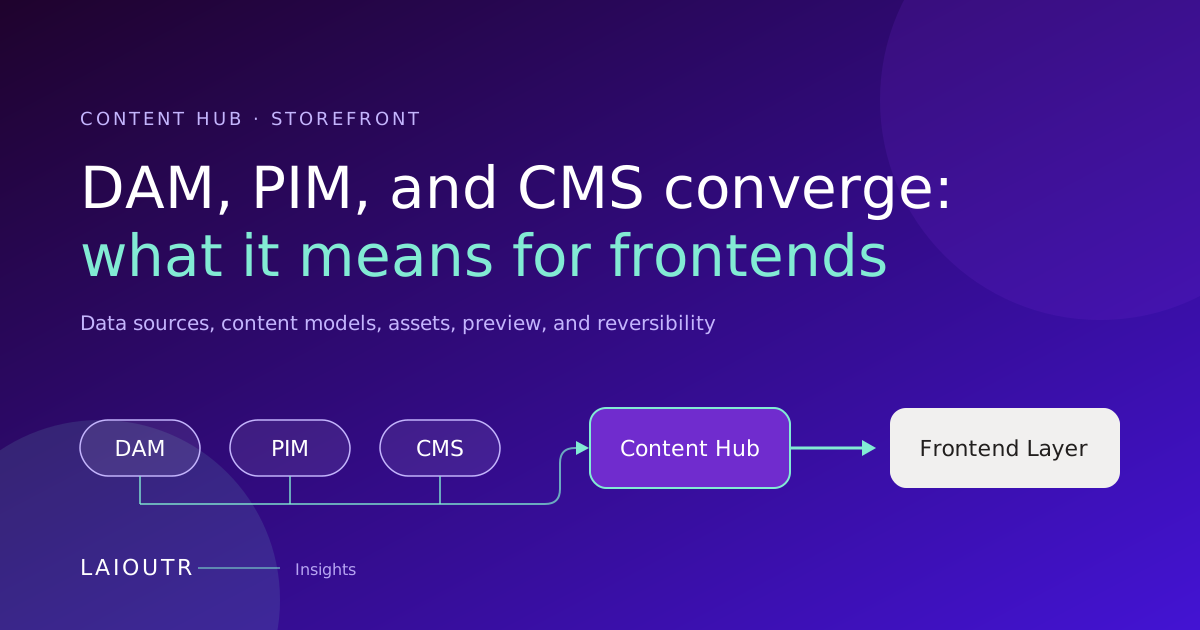DAM, PIM, and CMS Are Converging: What It Means for Your Storefront
DAM, PIM, and CMS vendors are moving into each other's territory, and more teams now evaluate on…](https://www.laioutr.com/en/blog/dam-pim-cms-convergence-content-hub-storefront-2026)
[Contentful Live Preview: What Your Frontend Has to Deliver
Contentful Live Preview lets editors see a draft right next to the entry editor and watch changes ap…](https://www.laioutr.com/en/blog/contentful-live-preview-frontend-perspective-2026)
[Content Governance at Scale: Product Content and Brand Assets
Content governance at scale means that roles, approvals, brand rules, asset rights and translations …](https://www.laioutr.com/en/blog/content-governance-product-content-brand-assets-frontend-2026)
[AI Agents as Frontend Operators: Architecture and Control Model
An AI agent becomes a frontend operator when it watches the running storefront, spots concrete issue…](https://www.laioutr.com/en/blog/ai-agents-as-frontend-operators-2026)
[Shopping Agents Read Your Feed: What Agentic Commerce Changes
Agentic commerce adds a new reader to your product data: shopping agents in ChatGPT, Google AI Mode,…](https://www.laioutr.com/en/blog/shopping-agents-product-feeds-agentic-data-distribution-2026)
[Server-Side Tracking in E-Commerce: Making Measurement Complete Again
Server-side tracking moves the forwarding of analytics and conversion events from the visitor's …](https://www.laioutr.com/en/blog/server-side-tracking-ecommerce-complete-measurement-2026)
[Product Image Deep Links, Not ZIP Files: Assets That Stay Current
If you still send product images to retailers, marketplaces and press as ZIP files, every package st…](https://www.laioutr.com/en/blog/product-image-deeplinks-asset-distribution-2026)
[PrestaShop 8 to 9 Upgrade Without Replatforming: Decouple the Frontend
You can take most of the risk out of the PrestaShop 8 to 9 upgrade by moving the storefront off the …](https://www.laioutr.com/en/blog/prestashop-8-to-9-upgrade-without-replatforming-2026)
[Order Management With an OMS Like fulfillmenttools: The Frontend View
An efficient order management system decides which location fulfills an order, how much stock is rea…](https://www.laioutr.com/en/blog/order-management-fulfillmenttools-oms-frontend-2026)
[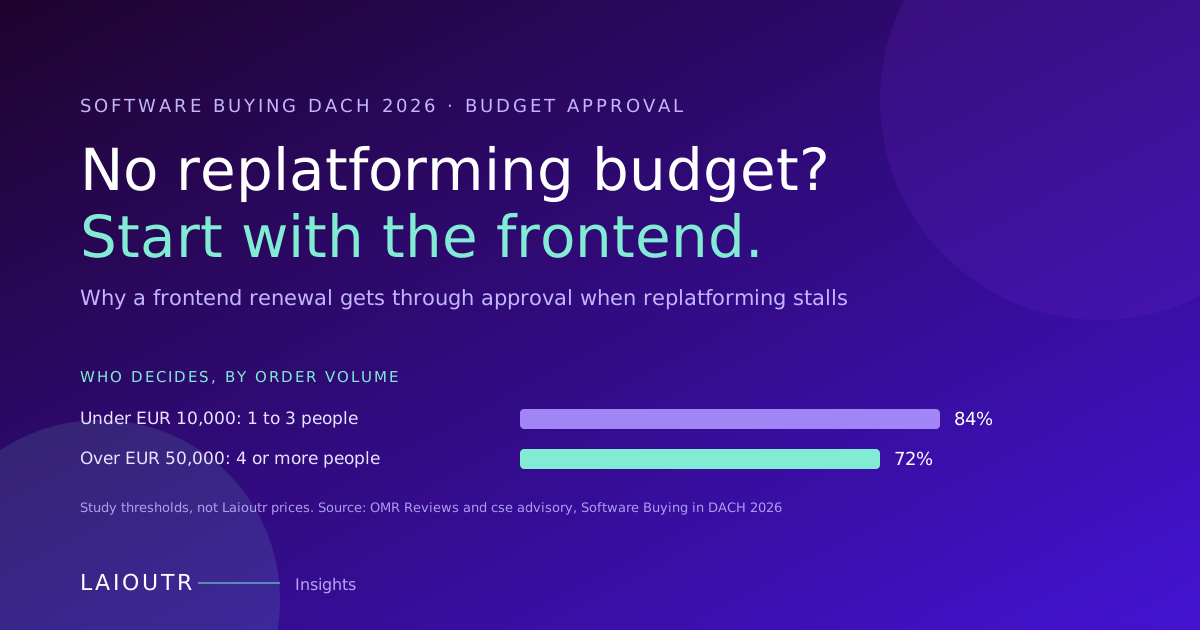No Replatforming Budget in 2026? Why the Frontend Gets Approved
If your 2026 budget has no room for a replatforming project, you are not alone, and you do not have …](https://www.laioutr.com/en/blog/no-replatforming-budget-frontend-project-approval-2026)
[Garden Retail Order Management: What Your Storefront Must Show
In garden and DIY retail, one cart can hold a parcel item, a patio set that ships by freight, live p…](https://www.laioutr.com/en/blog/garden-retail-order-management-seasonal-frontend-2026)
[](https://www.laioutr.com/en/apps/shopify)
Laioutr
[Shopify](https://www.laioutr.com/en/apps/shopify)
Shopify is a commerce platform for selling online and in physical retail.
[](https://www.laioutr.com/en/apps/shopware)
Laioutr
[Shopware](https://www.laioutr.com/en/apps/shopware)
Shopware is a flexible ecommerce platform from Europe for product catalogs and omnichannel commerce.
[](https://www.laioutr.com/en/apps/adobe-commerce)
Laioutr
[Adobe Commerce](https://www.laioutr.com/en/apps/adobe-commerce)
Adobe Commerce is an enterprise commerce platform for complex, global B2C and B2B scenarios.
Planned
[](https://www.laioutr.com/en/apps/b2b-sellers)
Laioutr
[B2Bsellers](https://www.laioutr.com/en/apps/b2b-sellers)
B2B suite for Shopware that turns an online store into a professional B2B commerce platform.
Planned
[](https://www.laioutr.com/en/apps/commerce-layer)
Laioutr
[Commerce Layer](https://www.laioutr.com/en/apps/commerce-layer)
Commerce Layer is a headless commerce platform for making inventory and catalogs available online.
[](https://www.laioutr.com/en/apps/commercetools)
Laioutr
[Commercetools](https://www.laioutr.com/en/apps/commercetools)
Commercetools is a SaaS-based headless ecommerce platform used worldwide.
[](https://www.laioutr.com/en/apps/emporix)
Laioutr
[Emporix](https://www.laioutr.com/en/apps/emporix)
Emporix is a composable, API-first commerce platform for scalable B2B and B2C scenarios.
Planned
[](https://www.laioutr.com/en/apps/hcl-software)
Laioutr
[HCL Software](https://www.laioutr.com/en/apps/hcl-software)
Enterprise suite for digital commerce and experience with extensive configurability.
Planned
[](https://www.laioutr.com/en/apps/intershop)
Laioutr
[Intershop](https://www.laioutr.com/en/apps/intershop)
Enterprise commerce platform for complex B2B and B2C business models.
Planned
[](https://www.laioutr.com/en/apps/magento-2)
Laioutr
[Magento 2](https://www.laioutr.com/en/apps/magento-2)
Widely used, extensible commerce platform for B2C and B2B scenarios.
[](https://www.laioutr.com/en/apps/oxid-eshop)
Laioutr
[OXID eShop](https://www.laioutr.com/en/apps/oxid-eshop)
OXID eShop is an extensible commerce platform for complex B2B and B2C requirements.
Planned
[](https://www.laioutr.com/en/apps/patchworks)
Laioutr
[Patchworks](https://www.laioutr.com/en/apps/patchworks)
Patchworks is a low-code iPaaS that connects ecommerce, ERP, WMS, 3PL, and marketplaces.
Planned
[](https://www.laioutr.com/en/apps/PrestaShop)
Laioutr
[Prestashop](https://www.laioutr.com/en/apps/PrestaShop)
Open-source commerce platform for small and midsize merchants in Europe and beyond.
Planned
[](https://www.laioutr.com/en/apps/saleor)
Laioutr
[Saleor](https://www.laioutr.com/en/apps/saleor)
Open-source, API-first commerce platform built on GraphQL for custom storefronts.
Planned
[](https://www.laioutr.com/en/apps/salesforce-commerce-cloud)
Laioutr
[Salesforce Commerce Cloud](https://www.laioutr.com/en/apps/salesforce-commerce-cloud)
Salesforce Commerce Cloud is a cloud-based enterprise commerce platform for businesses of any size.
Planned
[](https://www.laioutr.com/en/apps/sap-commerce-cloud)
Laioutr
[SAP Commerce Cloud](https://www.laioutr.com/en/apps/sap-commerce-cloud)
Enterprise commerce platform for complex catalogs, pricing models, and omnichannel journeys.
Planned
[](https://www.laioutr.com/en/apps/scayle)
Laioutr
[Scayle](https://www.laioutr.com/en/apps/scayle)
SCAYLE is a commerce engine that helps brands and retailers scale their business.
Planned
[](https://www.laioutr.com/en/apps/spryker)
Laioutr
[Spryker](https://www.laioutr.com/en/apps/spryker)
Composable commerce platform for sophisticated B2B and B2C business models.
[](https://www.laioutr.com/en/apps/sylius)
Laioutr
[Sylius](https://www.laioutr.com/en/apps/sylius)
Sylius is a developer-friendly ecommerce framework for B2C and B2B shopping experiences.
Planned
[](https://www.laioutr.com/en/apps/vendure)
Laioutr
[Vendure](https://www.laioutr.com/en/apps/vendure)
Vendure is a headless commerce platform for businesses with complex requirements.
Coming Soon
[](https://www.laioutr.com/en/apps/vtex)
Laioutr
[VTEX](https://www.laioutr.com/en/apps/vtex)
Cloud-native, composable commerce platform for B2B and B2C at scale.
Planned
[](https://www.laioutr.com/en/apps/websale)
Laioutr
[Websale](https://www.laioutr.com/en/apps/websale)
Stable, enterprise-ready commerce backend for complex retail environments.
Strategy call
## Ready to turn your frontend into a control layer?
Show us your stack, your roadmap, your replatforming scenario, and we'll show you how Laioutr fits, what it costs, and how fast you go live.
*"After 30 minutes, we knew Laioutr makes our replatforming feasible." - Daniel B., CEO,* [*hygibox.de*](https://hygibox.de)
[Book a demo](https://www.laioutr.com/en/contact)
## Structured Data
```json
{
"@context": "https://schema.org",
"@graph": [
{
"@type": "Organization",
"@id": "https://www.laioutr.com/#identity",
"name": "Laioutr",
"legalName": "Laioutr GmbH",
"url": "https://www.laioutr.com/",
"logo": {
"@type": "ImageObject",
"url": "https://www.laioutr.com/laioutr-logo.png",
"width": 400,
"height": 400
},
"email": "info@laioutr.com",
"telephone": "+49 30 75435715",
"address": {
"@type": "PostalAddress",
"streetAddress": "Münchweilersteig 5",
"postalCode": "12559",
"addressLocality": "Berlin",
"addressCountry": "DE"
},
"vatID": "DE450905846",
"sameAs": [
"https://www.linkedin.com/company/laioutr",
"https://www.youtube.com/@Laioutr",
"https://x.com/laioutr"
]
},
{
"@type": "WebSite",
"@id": "https://www.laioutr.com/en/#website",
"url": "https://www.laioutr.com/en/",
"name": "Laioutr",
"inLanguage": "en",
"publisher": {
"@id": "https://www.laioutr.com/#identity"
}
},
{
"@type": "BlogPosting",
"@id": "https://www.laioutr.com/en/blog/storefront-components-build-vs-buy-growth-kits-2026#article",
"headline": "Build vs. Buy for Storefront Components: When Production-Ready Growth Kits Win",
"description": "When production-ready growth kits win the build-versus-buy decision for storefront components.",
"image": [
"https://eu-west-2.graphassets.com/cmii2mlqi0dux06l5543v7nkc/cmqrmtarxjsuq07mswvlowi5p"
],
"datePublished": "2026-06-30T17:37:38.042778+00:00",
"dateModified": "2026-06-30T17:37:37.763035+00:00",
"inLanguage": "en",
"articleSection": "Insights",
"keywords": "Frontend Management, Composable, Experience Operations",
"author": {
"@type": "Person",
"name": "Marcel Thiesies",
"jobTitle": "Co-Founder & CEO, Laioutr",
"image": "https://eu-west-2.graphassets.com/cmii2mlqi0dux06l5543v7nkc/cmj01b962364n07lb0iguvts5"
},
"publisher": {
"@id": "https://www.laioutr.com/#identity"
},
"mainEntityOfPage": {
"@id": "https://www.laioutr.com/en/blog/storefront-components-build-vs-buy-growth-kits-2026#webpage"
},
"isPartOf": {
"@id": "https://www.laioutr.com/en/#website"
}
},
{
"@type": "WebPage",
"@id": "https://www.laioutr.com/en/blog/storefront-components-build-vs-buy-growth-kits-2026#webpage",
"url": "https://www.laioutr.com/en/blog/storefront-components-build-vs-buy-growth-kits-2026",
"name": "Build vs. Buy for Storefront Components: When Production-Ready Growth Kits Win",
"description": "When production-ready growth kits win the build-versus-buy decision for storefront components.",
"inLanguage": "en",
"isPartOf": {
"@id": "https://www.laioutr.com/en/#website"
},
"breadcrumb": {
"@id": "https://www.laioutr.com/en/blog/storefront-components-build-vs-buy-growth-kits-2026#breadcrumb"
},
"primaryImageOfPage": {
"@type": "ImageObject",
"url": "https://eu-west-2.graphassets.com/cmii2mlqi0dux06l5543v7nkc/cmqrmtarxjsuq07mswvlowi5p"
},
"datePublished": "2026-06-30T17:37:38.042778+00:00",
"dateModified": "2026-06-30T17:37:37.763035+00:00",
"mainEntity": {
"@id": "https://www.laioutr.com/en/blog/storefront-components-build-vs-buy-growth-kits-2026#article"
}
},
{
"@type": "BreadcrumbList",
"@id": "https://www.laioutr.com/en/blog/storefront-components-build-vs-buy-growth-kits-2026#breadcrumb",
"itemListElement": [
{
"@type": "ListItem",
"position": 1,
"name": "Laioutr",
"item": "https://www.laioutr.com/en/"
},
{
"@type": "ListItem",
"position": 2,
"name": "Insights",
"item": "https://www.laioutr.com/en/blogs/insights"
},
{
"@type": "ListItem",
"position": 3,
"name": "Build vs. Buy for Storefront Components: When Production-Ready Growth Kits Win"
}
]
}
]
}
```